Integrate with Cline
This topic explains how to integrate Devart MCP Server with Cline so that you can interact with your data source in the Cline app. You can configure the integration by using the MCP Server connection manager or by editing the Cline configuration file.
Note
Before you start, make sure that MCP Server has an active connection to the data source. For instructions, see Connection configuration.
Use the MCP Server connection manager
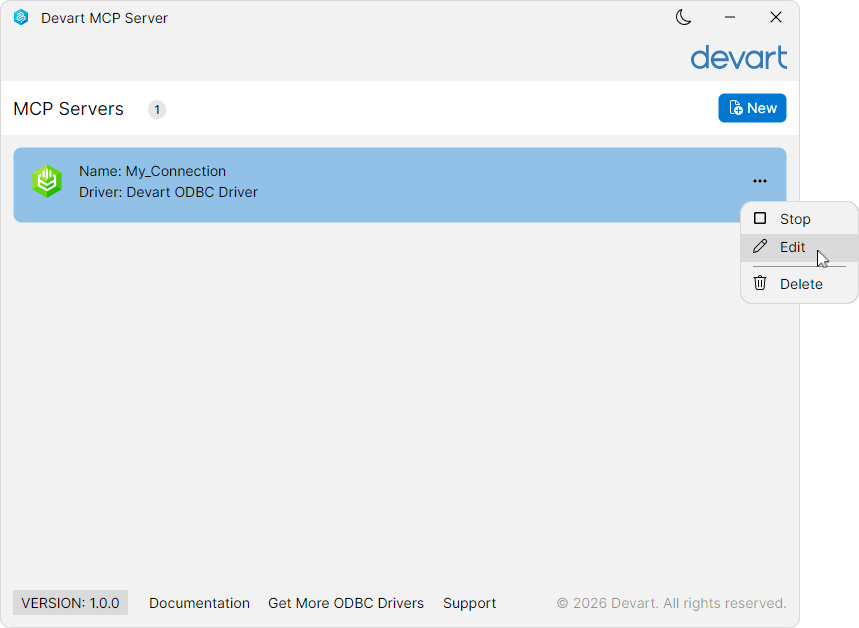
1. In Devart MCP Server, open the connection for editing in one of these ways:
- Double-click the connection.
- Click the ellipsis (…) and select Edit.
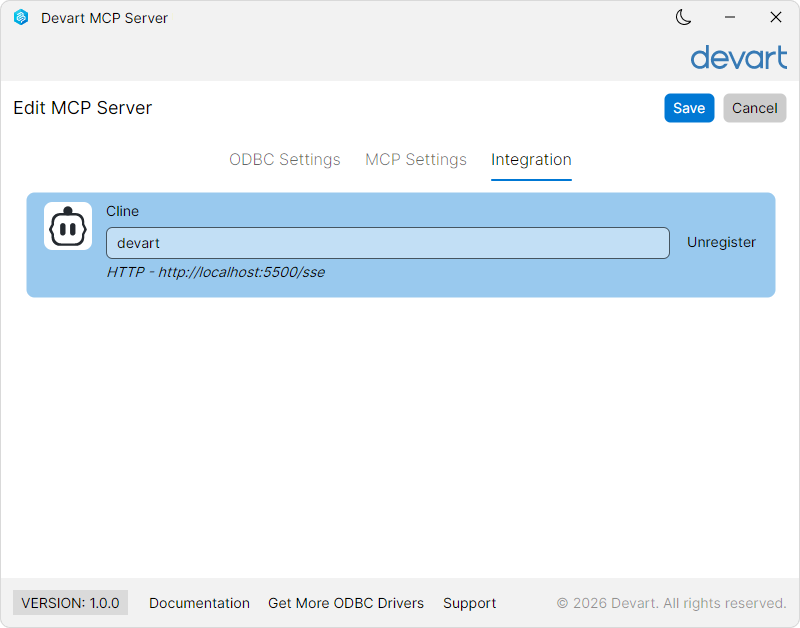
2. On the Integration tab, under Cline, click Register.
3. Optional: Modify the connector name that will appear in the Cline app.
4. Click Save.
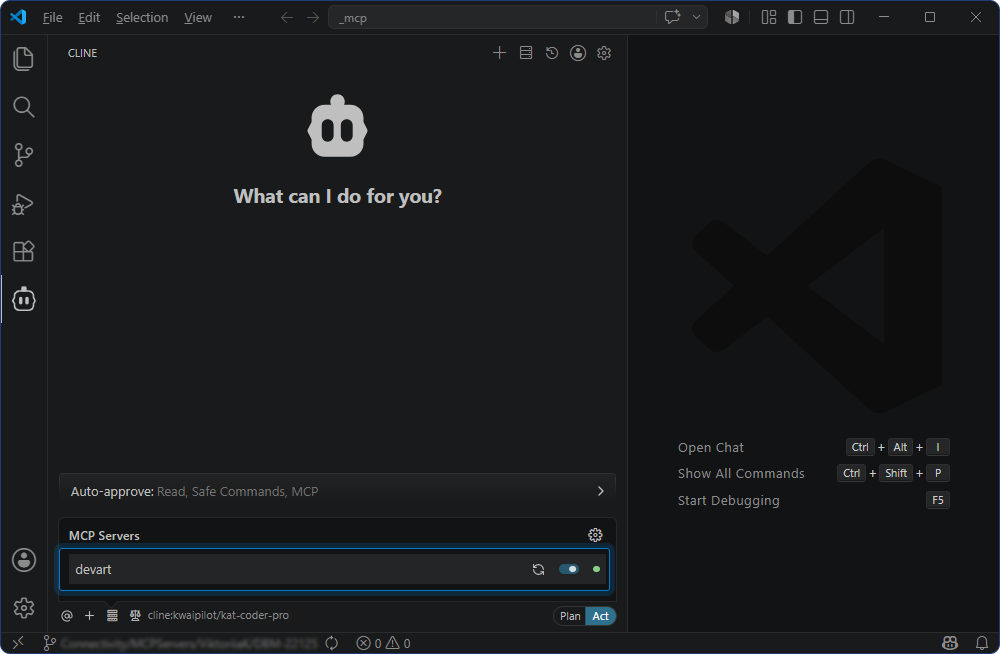
5. Restart Cline.
Devart MCP Server is now integrated with Cline, and the connector appears in the Cline app in Manage MCP Servers > MCP Servers.
Note
If you have multiple connections configured in Devart MCP Server, repeat the integration process for every connection. Connector names must be unique.
Use the Cline configuration file
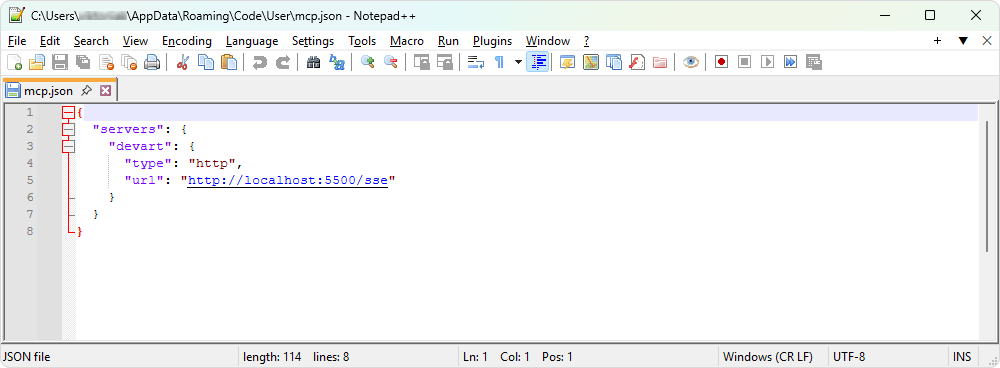
1. Open mcp.json, the Cline configuration file.
Tip
If you can’t locate the configuration file, it may not exist yet. To have it created, in the Cline app, navigate to MCP Servers, then click Configure MCP Servers. The
mcp.jsonfile opens.
2. Add one of the following objects, depending on the transport protocol used by MCP Server:
-
STDIO
{
  "servers": {
    "devart": {
      "type": "stdio",
      "command": "C:\\Program Files\\Devart\\MCP Server for <data_source_name>\\Devart.AI.McpServer.Odbc.<data_source_name>.exe",
      "args": [
        "run",
        "devart"
      ]
    }
  }
}
where:
-
devartis the connector name that will appear in the Cline app. -
<data_source_name>is the name of the target data source.
-
-
HTTP
{
  "servers": {
    "devart": {
      "type": "http",
      "url": "http://localhost:5500/sse"
    }
  }
}
where:
devartis the connector name that will appear in Cline.5500is the port specified in the MCP settings for the connection.
3. Save the file.
4. Restart Cline.
Devart MCP Server is now integrated with Cline, and devart appears in the Cline app in Manage MCP Servers > MCP Servers.
Add multiple connections
To use multiple connections in Cline, add another connector entry to the servers object in mcp.json.
{
  "servers": {
    "devart_mysql": {
      "type": "http",
      "url": "http://localhost:5500/sse"
    },
    "devart_pg": {
      "type": "http",
      "url": "http://localhost:3306/sse"
    }
  }
}