Activate Devart MCP Server Universal
This section provides detailed instructions for activating and deactivating Devart MCP Server Universal on Windows. You can activate Devart MCP Server Universal by using the setup wizard during installation or by running activation commands from the command line.
Activate during installation
Activate Devart MCP Server Universal before first use while running the installer and following the instructions in the setup wizard.
For more information on ways to activate the product during installation, see Installation.
Activate from the command line
If you didn’t activate Devart MCP Server Universal during installation, you can activate it later by using the command line.
1. Open Command Prompt.
2. Navigate to the folder where the installer file is located. The default path is: C:\Program Files\Devart\MCP Server\Universal.
cd C:\Program Files\Devart\MCP Server\Universal
3. Activate the product using one of the following commands, where Devart.AI.McpServer.Odbc.Universal.exe is the name of the product executable file.
Using an activation key:
Devart.AI.McpServer.Odbc.Universal.exe activate <key>
Note
Replace
<key>with your activation key.
Using a file that contains the activation key:
Devart.AI.McpServer.Odbc.Universal.exe activate <path_to_file>
Note
Replace
<path_to_file>with the full path to the file that contains the activation key.
Tip
You can enclose the key or file path in quotation marks.
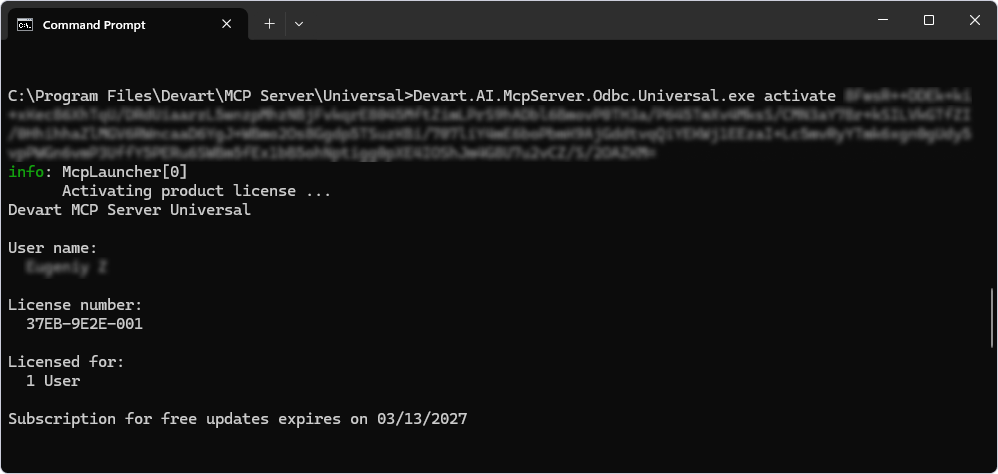
After activation, the license information appears in the console.
Deactivate from the command line
To deactivate Devart MCP Server Universal:
1. Open Command Prompt and navigate to the installation folder. The default installation path is: C:\Program Files\Devart\MCP Server\Universal.
cd C:\Program Files\Devart\MCP Server\Universal
2. Run the following command:
Devart.AI.McpServer.Odbc.Universal.exe deactivate
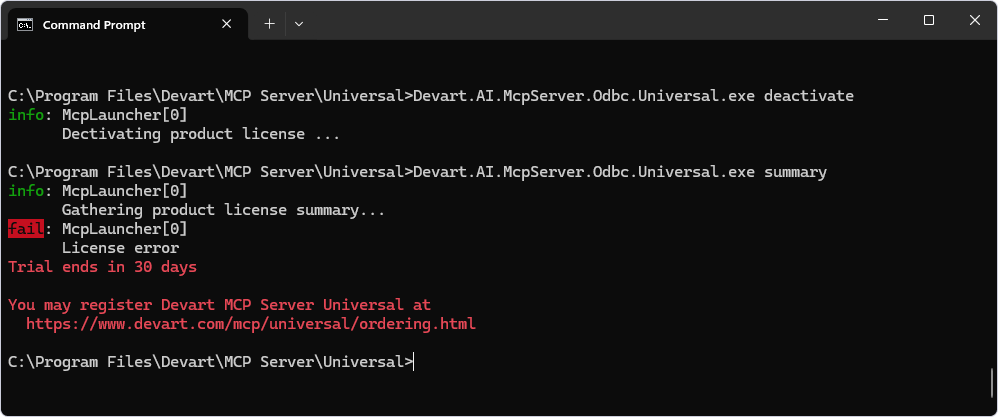
After deactivation, a confirmation message appears in the console. The license reverts to the trial version.
3. Optional: To view license details, run the following command:
Devart.AI.McpServer.Odbc.Universal.exe summary
The current license information appears in the console.