Locating errors in code
Entity Developer provides a convenient error check when editing templates.
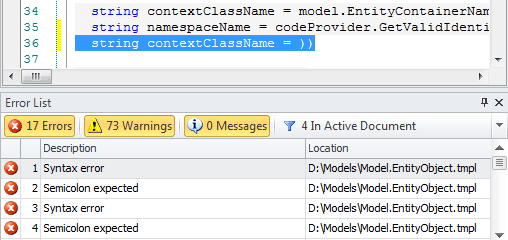
The Error List window contains all errors found in all opened documents. It shows information about an error type and location (a document name). Error and warning messages concerning templates are reported for errors in syntax of control code (not template compile-time errors).
To view a line containing an error statement, right-click the error statement in the Error List window and select Goto Error. When you correct the errors, they are no longer displayed in the error list.
If the error list contains errors, which are located in other documents, these error messages are not deleted from the list after the template is saved.
Note
The Error List window also displays errors after unsuccessful query executions. The error list is cleared each time a query is executed for the current document.