Methods
Available methods are visible in the Model Explorer window.
Creating and editing methods
Methods can be added to the diagram either by dragging existing ones from the Database Explorer, or by manually creating a new method. To create a new method, use one of the following ways:
- Press the ALT+M shortcut keys.
- Right-click the Methods node in the Model Explorer window and select the New Method menu item.
The Method Editor window will be displayed, where method parameters and a return type should be specified. A method can have a scalar return type, return complex types (value types in LINQ to SQL models in Entity Developer for SQL Server), or return no value. If a method should return several resultsets, you may create a method, returning several entities or complex types. To do it, click Value Types in Method Editor, then select the needed type in the dropdown list of the first row in the Value Types grid. Then the second row will be displayed - select the next type in it and so on.
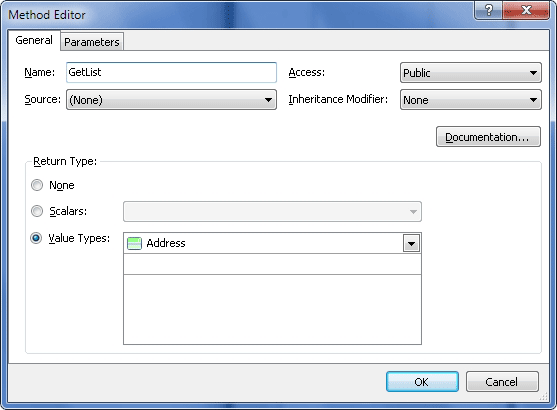
Methods can be edited in the Method editor window.