Storage Entity Editor
Use this editor to create or edit storage entities.
To call the Storage Entity Editor dialog box, right-click the required table in the Model Explorer window and select Edit in the context menu.
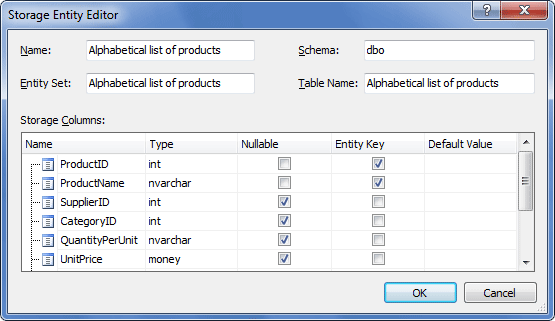
The following options are available:
Name – set the storage entity name here.
Schema – specify the schema, the table belongs to.
Entity Set – specify the entity set, that contains the entity.
Table Name – specify the database table name here.
Storage Columns – edit the table column list here.