
dotConnect for SQL Server Documentation
Command Editor provides a visual interface for configuring SQL commands and parameters for data access components, including SqlDataTable, SqlDataAdapter, SqlCommand, and SqlDataSource.
You can use the editor to define SELECT, INSERT, UPDATE, and DELETE commands, configure their parameters, preview query results, and generate data modification commands.
This article demonstrates how to configure commands for a SqlDataTable component.
Add a SqlDataTable component to your application, for example, by dragging it from the Toolbox onto a form.
Configure the SQL Server connection for the component.
Some Command Editor operations, such as generating update commands, require an open database connection. If the connection has not been configured, the editor prompts you to specify the connection properties when you perform one of these operations.
For more information, see Logging Onto The Server.
Select the command type from the Type list. The following options are available:
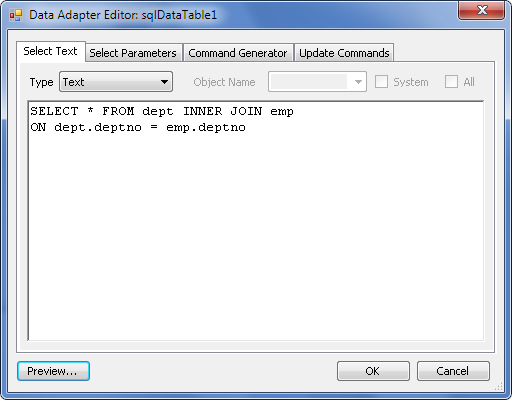
Click Preview to open the Preview Data window and inspect the data returned by the SELECT command.
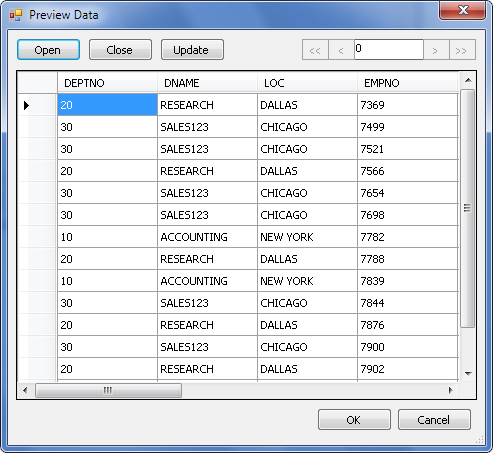
The window provides the following actions:
If the query retrieves data from a single table, you can edit the records directly in the Preview Data window and click Update to save your changes.
Update commands are generated dynamically based on the columns included in the SELECT query. If the query does not include the table's primary key, data modification may cause data loss or corruption.
If the SELECT statement contains parameters, you can configure them on the Select Parameters tab.
For example, the following query uses the @pDeptNo parameter to filter departments:
When you open the Select Parameters tab, the editor prompts you to generate parameters for the data component. You can also add and configure parameters manually.
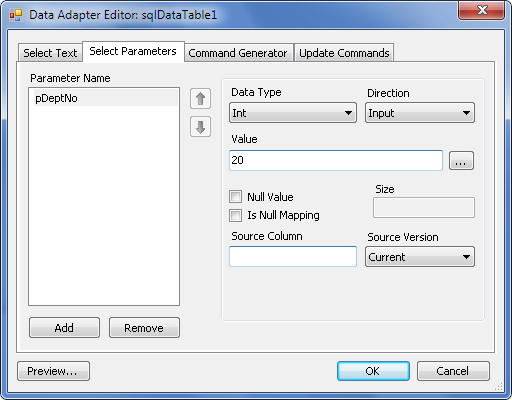
On the Select Parameters tab, configure the following settings:
SourceColumnNullMapping property.Column bindings are primarily useful for data modification commands, but the same settings are available for SELECT parameters.
The Command Generator tab lets you generate INSERT, UPDATE, and DELETE commands for the data access component.
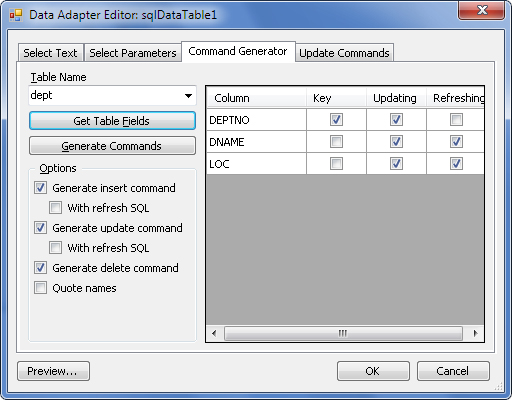
To generate commands:
The field grid provides the following options:
To review or modify generated commands, open the Update Commands tab.
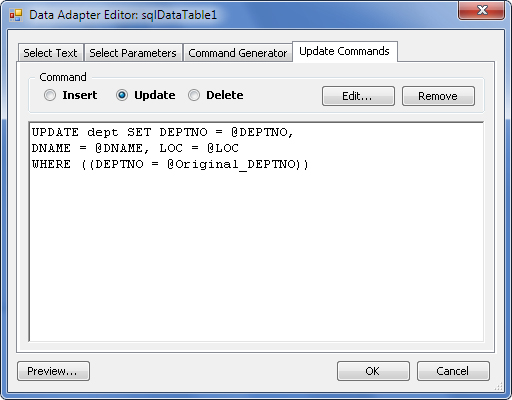
On this tab, you can:
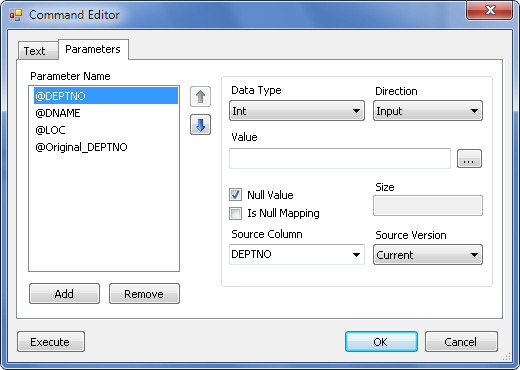
Clicking Edit opens the SqlCommand Editor dialog, which contains two tabs:
SqlDataTable Class | SqlDataAdapter Class | SqlCommand Class | Using SqlDataSource Component