Web search
AI Assistant can use web search to include information from online resources in its responses. This enables it to deliver more complete answers, including explanations, references, and step-by-step instructions.
With web search enabled, AI Assistant can:
-
Access documentation and other online sources, such as articles and tutorials, including dbForge product documentation.
-
Provide more precise SQL fixes with supporting details.
-
Suggest step-by-step instructions for specific tasks, such as creating database diagrams or backing up databases.
-
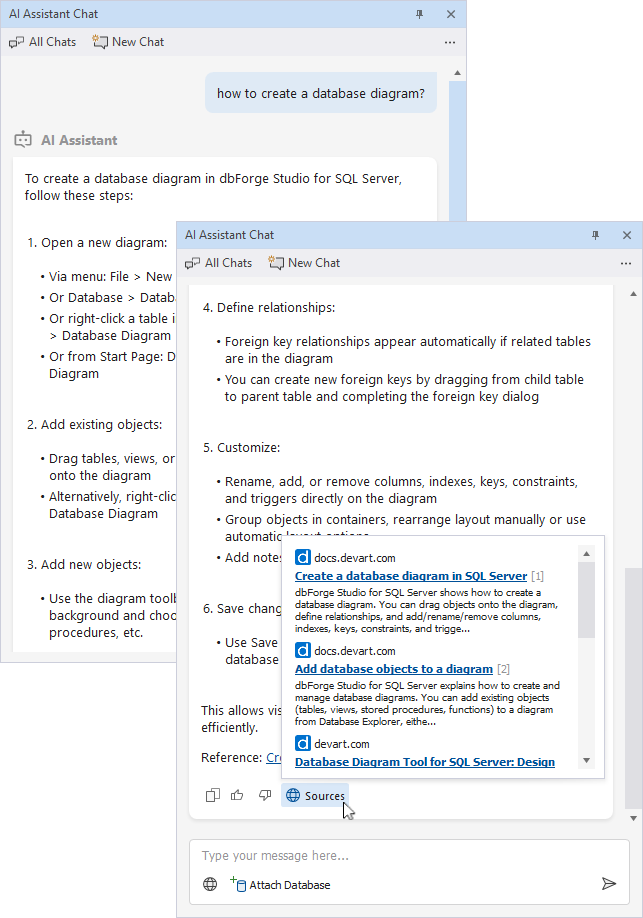
Show the list of sources used in the response, so that you can refer to the documentation for more information.
To use web search
1. Start a new AI Assistant chat.
2. In the message input box, enter your request.
3. In the input area, click  Search the Web .
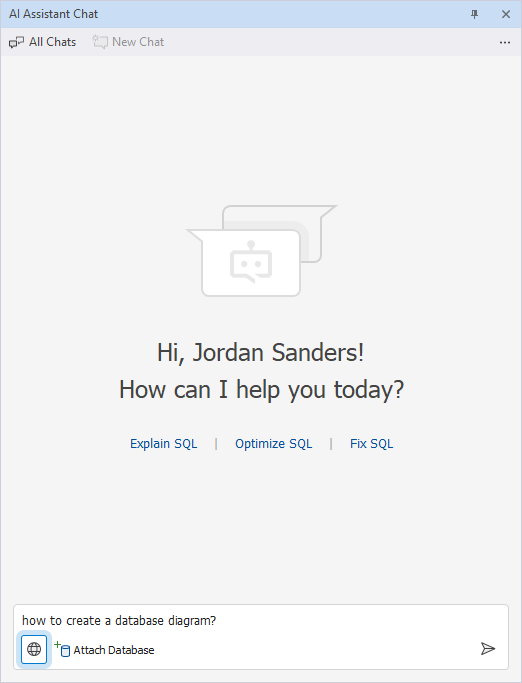
4. Click  .
.
5. Review the AI Assistant’s response. To see the links used as information sources, click  Sources at the bottom of the message.
Note
You must enable web search for each new request where you want AI Assistant to access online information. It is automatically disabled after the request is processed.