Optimize a query
AI Assistant can help you analyze database objects, particularly indexes, to enhance overall database performance. It evaluates how indexes are used in queries and identifies inefficiencies such as missing, redundant, or poorly structured indexes, and provides intelligent recommendations for the most effective optimization strategies.
By applying the recommendations, you can improve query execution speed, reduce resource consumption, and ensure optimal database performance through more efficient index usage.
Before getting started
This scenario demonstrates how AI Assistant analyzes queries to identify inefficiencies, suggests index improvements, and generates performance-optimizing T-SQL scripts.
In the scenario, we use a time-consuming query whose performance is impacted by inefficient indexing.
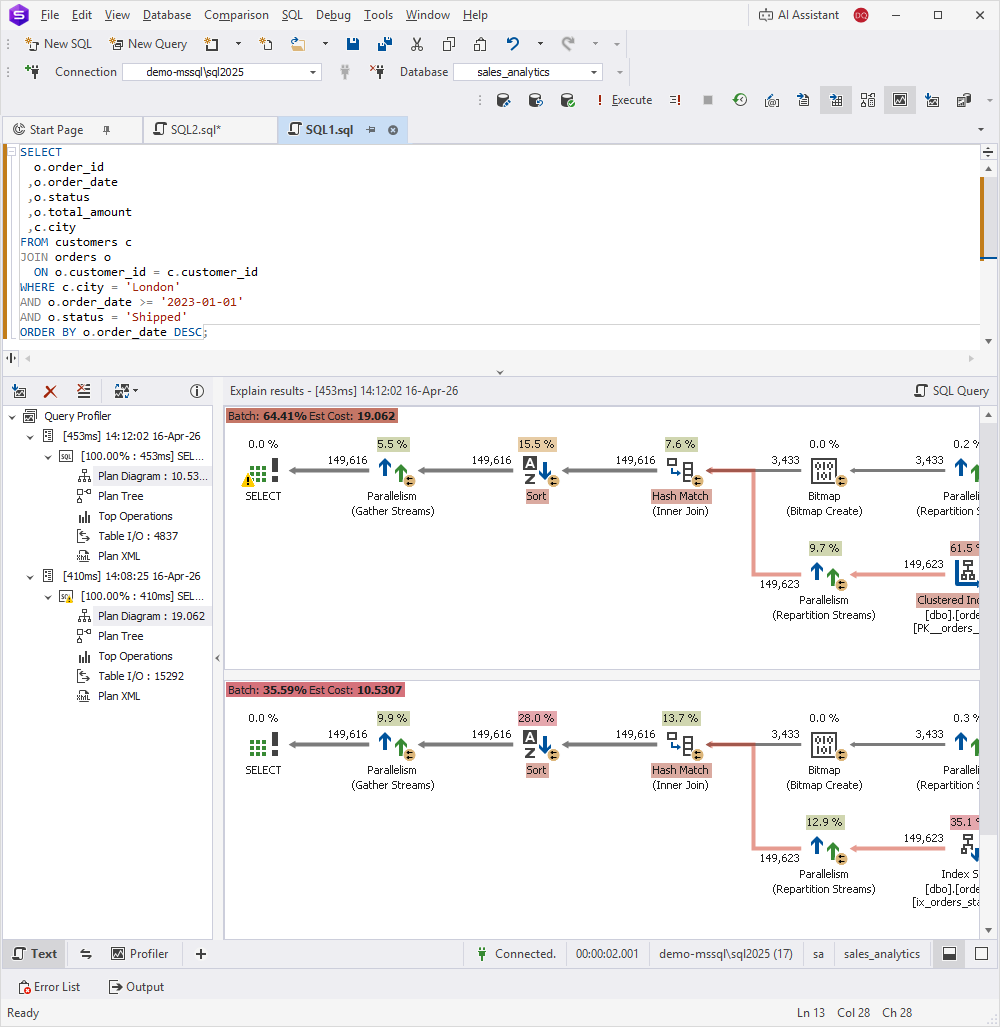
To diagnose performance bottlenecks and confirm that poor indexing is the root cause, enable Query Profiler before executing the query. Additionally, the tool allows you to review key metrics such as CPU usage, I/O operations, and execution time.
SELECT
  o.order_id
 ,o.order_date
 ,o.status
 ,o.total_amount
 ,c.city
FROM customers c
JOIN orders o
  ON o.customer_id = c.customer_id
WHERE c.city = 'London'
AND o.order_date >= '2023-01-01'
AND o.status = 'Shipped'
ORDER BY o.order_date DESC;
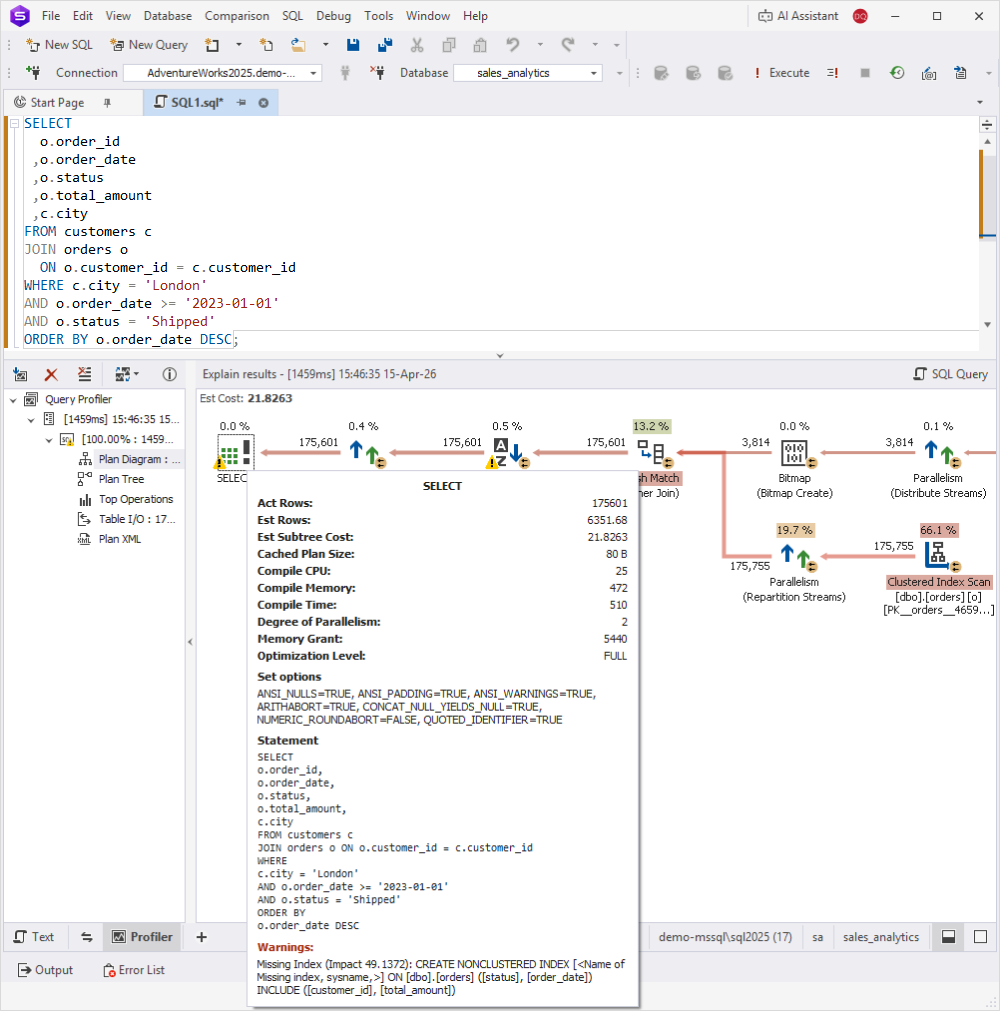
Now, let’s examine how AI Assistant can optimize the query and improve its performance.
Query optimization workflow
To optimize a query:
1. Start a new AI Assistant chat.
2. In the input area, select Attach Database > Select Connection.
3. Expand a connection and double-click the database for index analysis. To find the required database, you can also enter its name in the search box.
4. Enter your request to analyze the query and click  .
.
5. Apply the suggested recommendation and review the query result.
Examples for query analysis
Below are examples of prompts you can use to analyze a query.
Identify inefficiencies in the query
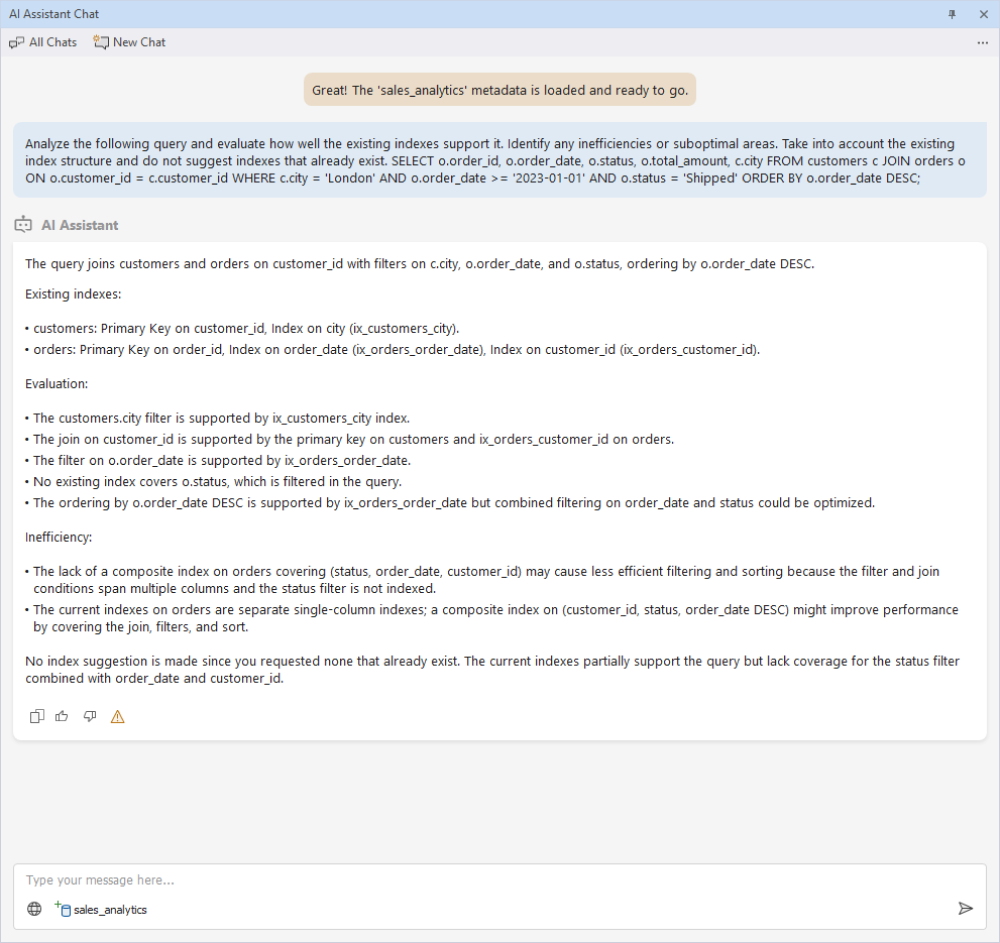
This step focuses on analyzing the execution plan and identifying performance bottlenecks caused by missing, redundant, or poorly structured indexes.
AI Assistant correctly identifies that existing indexes already support most query filters and pinpoints the only missing component—the status column. It suggests refining the current indexing strategy rather than recommending redundant indexes.
Explore index optimization strategies
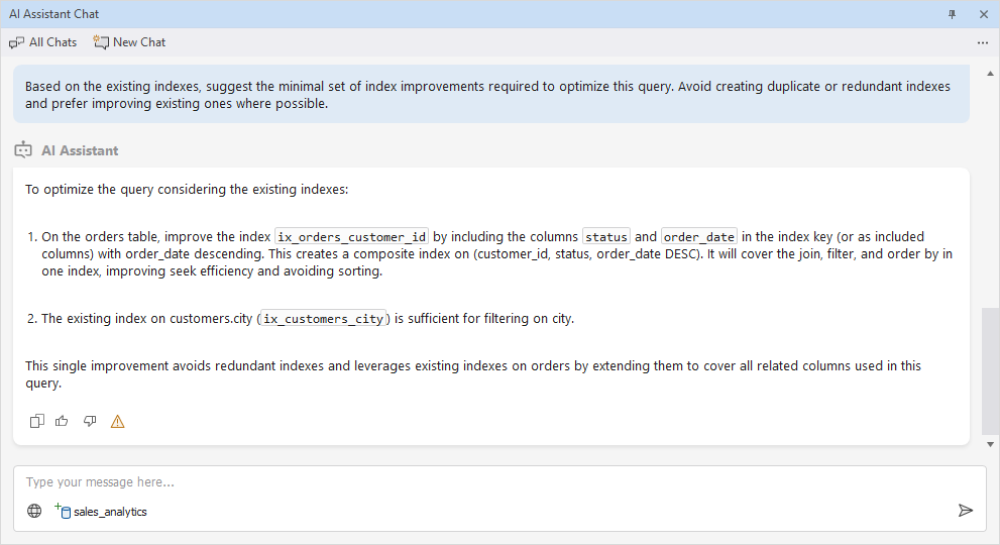
Based on the analysis, AI Assistant evaluates possible indexing strategies and avoids redundant index creation by enhancing existing structures. It recommends creating an efficient composite index.
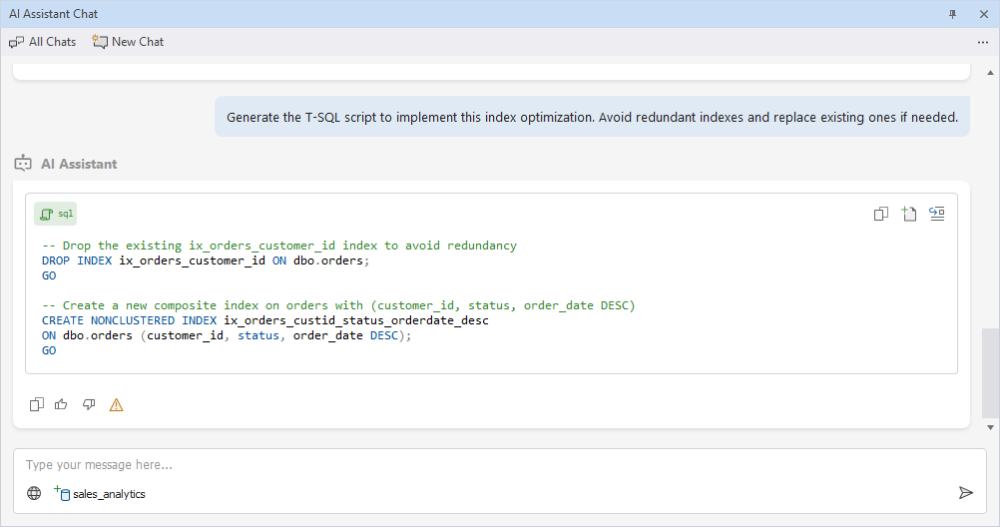
Generate a query optimization script
AI Assistant generates an optimized indexing script that removes redundant indexes and adds an optimized composite index.
Execute the script
After the optimization script is generated, run it to improve query performance.
To execute the script:
1. Open a new SQL document.
2. Copy the generated script and paste it into the SQL document.
3. Click Execute.
4. Return to the Query Profiler document.
5. Re-execute the query.
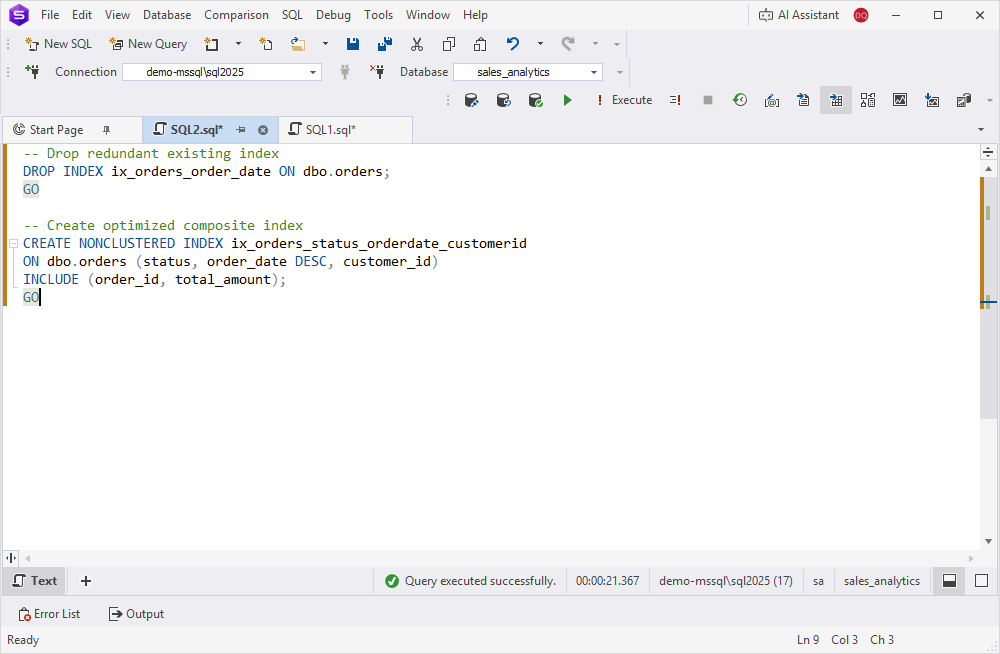
With the optimized index, the query demonstrates significantly improved performance, including reduced execution time and lower resource consumption.